UI Sound Kit — 96 Interface Sounds, Player and Source
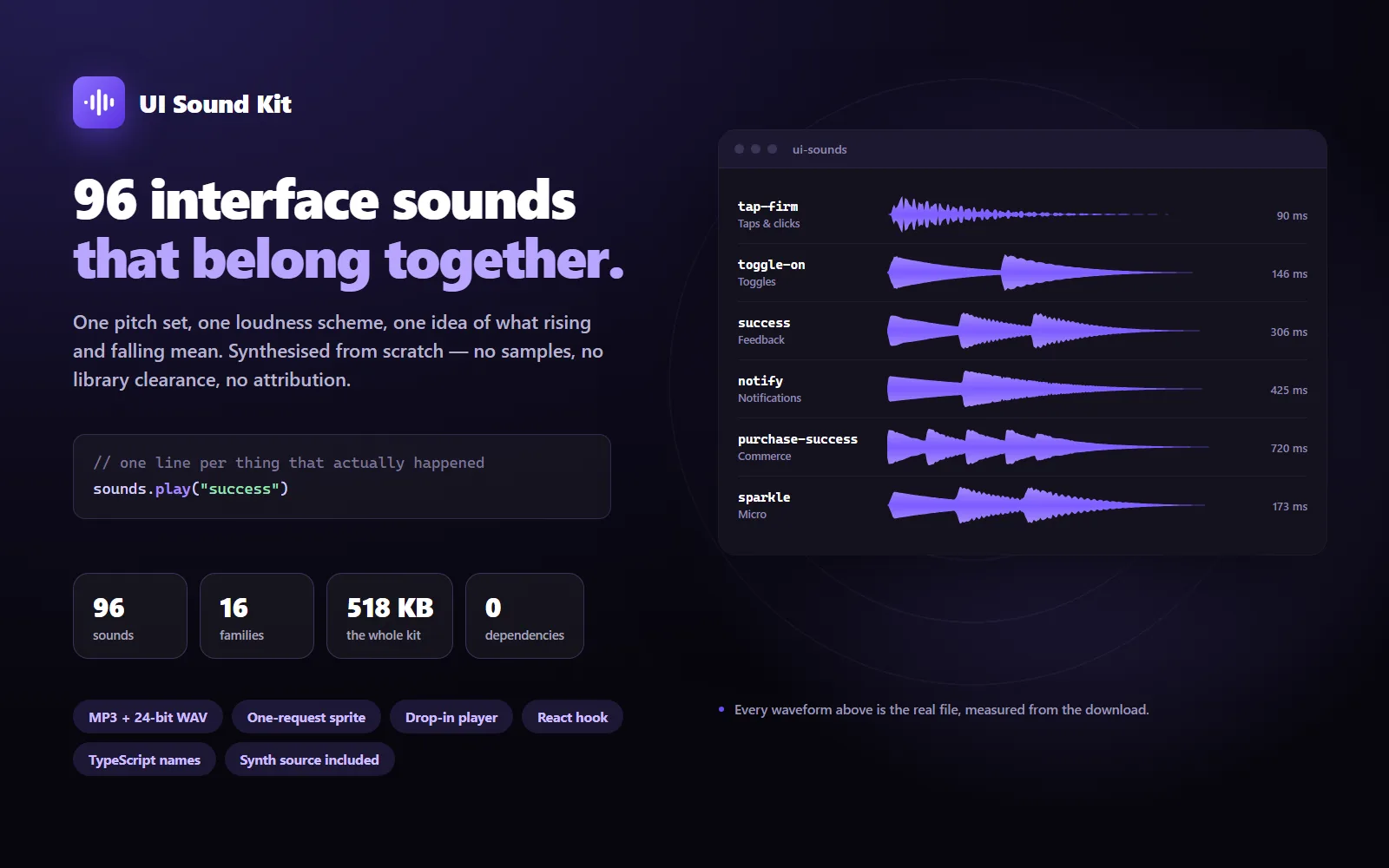
96 interface sounds that belong together: one pitch set, one loudness scheme, and a rule about rising and falling that users learn without being told. MP3 and 24-bit WAV, a dependency-free player with a React hook, and the synthesis source so you can retune the whole kit.
UI Sound Kit — 96 Interface Sounds, Player and Source
What it does & who it's for
Most sound packs are a folder of unrelated clips. Pick three and they clash — different keys, different loudness, different ideas of what a click should be. This kit was designed as one set, in one sitting, to three rules.
One pitch set. Every sound sits in C major pentatonic, so two that overlap — a notification landing while a menu opens — still agree with each other.
Direction carries meaning. Rising intervals mean forward, open, on and yes; falling means back, closed, off and no. "toggle-on" rises and "toggle-off" falls; "nav-forward" rises and "nav-back" falls. Users learn this in a minute without being told, and it is why the set feels like a language rather than a collection.
Level by importance. A keystroke and a payment confirmation should not arrive at the same volume. Every sound is measured and levelled to one of four targets — micro at -30 LUFS, ordinary actions at -26, feedback at -23, and only genuine alerts at -21. That spread is what stops an interface feeling noisy.
The 96 sounds cover 16 families: taps and clicks, toggles, navigation, modals, feedback, notifications, messaging, progress, transitions, text input, commerce, media controls, drag and drop, system events, micro-interactions, and voice and AI. Nothing has a reverb tail, because interfaces are used in rooms, not concert halls, and almost everything is under 250 ms.
Nothing here is recorded or sampled. Every sound is synthesised by the code included in the download — FM synthesis, a plucked-string model, filtered noise and state-variable filters at 48 kHz. That means no sample-library clearance, no attribution chain, nothing a content-matching system can claim on your product video, and no possibility that another product bought the same clip from the same library. It also means the kit is yours to change: run the source and get the whole set transposed, brighter, duller, or with your own sounds added in the same voice.
The player is one file with no dependencies — 10 KB of commented source, 3.6 KB over the wire. It uses one AudioContext rather than an audio element per sound, so rapid clicks overlap cleanly; it handles the browser rule that keeps pages silent until the user interacts, by failing quietly rather than throwing; it stays silent while the tab is hidden; it throttles repeats; and it remembers mute. There is an ES module, a plain-script build, TypeScript definitions with all 96 names as a union type, and a React hook. If you would rather use Howler or your own code, a sprite and a JSON map are in the download too.
What the documentation spends most of its words on is restraint, because that is the hard part. A product that plays a sound on every click, hover and toast is exhausting within a minute however good the sounds are. There is a starting twelve to use and ignore the rest, a note on which sounds to be careful with and why, and a section on doing it accessibly: sound is never the only signal, the off switch belongs somewhere people can find it, and prefers-reduced-motion is not a sound setting.
The demo is the kit itself, in four parts. A playground where a working interface — buttons, switches, tabs, a dialog, notifications, a background job, a cart, a reorder list — plays exactly what it would play in your product, and names the sound each control used. A library where all 96 are playable and searchable by name, by element or by intent, filtered by importance, direction or length, with a detail panel for each one. An integration section with working code for JavaScript, TypeScript, React, a plain script tag and the sprite. And a customisation section showing exactly what the generator lets you change.
Details
- Number of tracks
- 96
- Formats
- WAV, MP3
- Total duration
- 19 sec across 96 sounds
- Loopable
- No
- Stems included
- No
- AI in this work
- AI-assisted (edited or composited by a person)
What's included
- mp3/ — all 96 sounds as 192 kbps stereo MP3. The whole kit is about 518 KB
- wav/ — the same 96 sounds as 24-bit 48 kHz WAV masters, for editing or re-encoding
- sprite/ — every sound in one file with a Howler-style JSON map, for a single request
- web/ — the player: an ES module, a plain-script build, TypeScript definitions with all 96 names, and a React hook
- documentation/ — getting started (React, Vue, Svelte, plain script), choosing a sound with the full 96-sound reference, using sound without annoying people, the complete API, and how to regenerate the kit
- source/ — the synthesis code that made every sound: run it to transpose the kit, change its brightness, adjust the loudness scheme, or add your own sounds in the same voice
- index.json — every sound with its family, intended use, length, measured loudness, peak level, pitch direction, search keywords and a waveform, for building your own picker
- README.md, LICENCE.md and THIRD-PARTY.md
What's not included
- Music, loops or beds: these are interface sounds, all under a second
- Voice, speech or recorded material of any kind
- Native mobile players: the included player is for the web (the audio files work anywhere — iOS, Android, Unity, Unreal, desktop)
- Design work for your product: choosing which sounds to use where is yours to decide, though the documentation is opinionated about it
- Exclusivity: this is a non-exclusive licence and other people buy the same kit
Requirements
- To use the sounds: nothing. They are ordinary MP3 and WAV files
- To use the included player: any current browser with Web Audio (every browser since 2017)
- To use the React hook: React 18 or later
- To regenerate the kit from source: Node.js 18 or later
Setup instructions
- Download and unzip the package.
- Copy mp3/ into your project where the web server can serve it — for example public/ui-sounds/mp3/.
- Copy web/ui-sounds.js next to your own code, and create the kit once: createUiSounds({ basePath: "/ui-sounds/mp3/" }).
- Play sounds where things happen: sounds.play("tap-firm") on a press, sounds.play("success") when the work finishes.
- Read documentation/using-it-well.md before you ship — it is short, and it is the difference between a product that feels considered and one that is exhausting.
- Optional: delete the sounds you do not use. Most products need about a dozen.
Version history
- v1.0Latest18 Sept 2026
- v1.018 Sept 2026
- v1.018 Sept 2026
- v1.118 Sept 2026
- v1.018 Sept 2026
Licence & terms
12 months email support
Licence terms
Non-exclusive commercial licence. Use the sounds in unlimited projects: your own apps, websites, products, games and prototypes; in client work, including handing the sounds to that client as part of it; in products you sell and apps you publish to a store; and in video or demo footage. Edit them, re-encode them, or regenerate the whole kit from the included source. Ship the player code, changed or not, inside your app. No attribution is required, the licence does not expire, and there is no reporting or revenue share. You may not resell or redistribute the sounds as sounds — as a pack, sample library, asset bundle or course resource — or upload them to a stock library, asset marketplace or AI training dataset, or claim them as an exclusive sonic identity. The audio contains no third-party material, so there is nothing else to clear. Full terms in LICENCE.md.
Refund policy
14-day refund if the product is materially not as described — for example files missing from the download, audio that does not play, or a kit that is not what this listing says it is. Change of mind is excluded: every one of the 96 sounds is playable in the demo before you buy, so you can judge the actual product rather than a description of it. Nothing here limits your rights under Australian Consumer Law. An approved refund ends the licence: stop using the sounds in anything new and remove them from work not yet published.
Support terms
Email support for 12 months from purchase, for questions about using the kit and for defects in what this listing describes. Email support@launchstock.app or reply to your receipt, and a person answers. Defects are fixed free within that period. Help choosing sounds for your product is included within reason; custom sound design, new sounds made to order, and changes to your own code are not.
These terms are snapshotted at purchase — what you see here is what applies to your order.
Reviews
No reviews yet
Reviews come from verified purchasers only, so you can trust what you read here.