Preparing for launch…
Content Calendar OS — 90-Day Content System
A 90-day content operating system for founders on 1–3 channels: strategy, calendar, batching ritual, scored backlog, repurposing matrix.
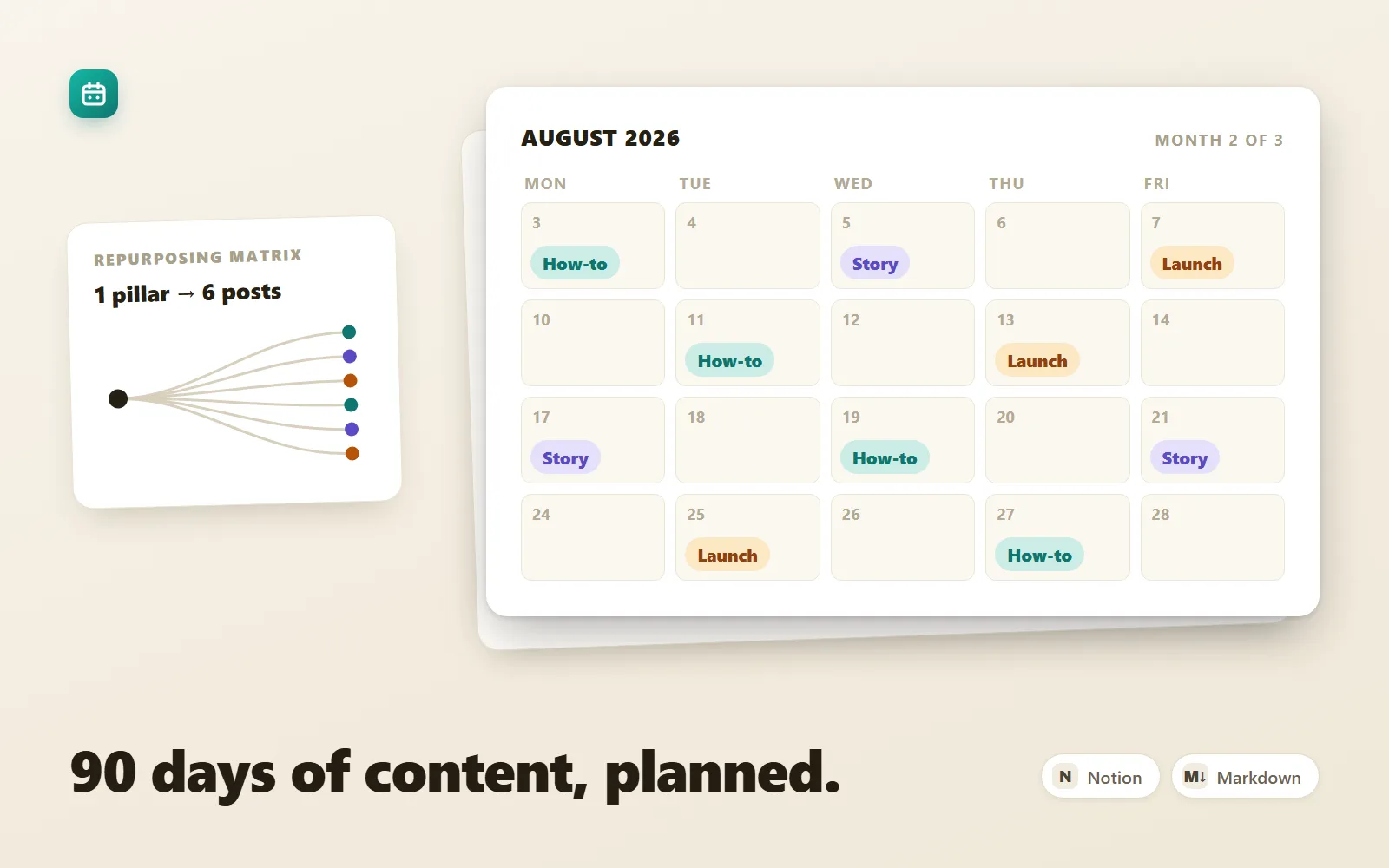
What it does & who it's for
Content Calendar OS replaces the daily "what should I post?" spiral with a system that answers the question once. It's built for founders and solo operators publishing on one to three channels — a newsletter, LinkedIn, X, wherever your audience actually is — and it runs on plain markdown and CSV files, so it works in Notion (import instructions included), Obsidian, or any text editor, and keeps working when you switch tools. The system is a pipeline. The strategy worksheet pins down your audience, channels, and 3–4 content pillars, then crosses those pillars with eight repeatable angles to generate up to 32 topic seeds in one sitting. Those seeds flow into an idea backlog with an anchored 1–5 scoring rubric — Reach, Effort, Fit, with a formula and verdict bands — so choosing next week's topics becomes sorting, not staring. The monthly calendar template slots anchor pieces first and derivatives second, and a 90-minute weekly batching ritual (timeboxed to the minute, with a 25-minute emergency version) produces the entire week's content in one appointment. The repurposing matrix then turns each weekly pillar piece into up to six derivative posts using mechanical extraction templates, so most of your week's publishing costs minutes, not hours. What makes this pack worth paying for is the worked example threaded through every file: Priya Sharma, a fictional founder building a bookkeeping app for freelancers, has the whole system filled in — her strategy worksheet answers, her scored backlog (including the ideas the rubric correctly kills), and a complete 90-day example calendar as a CSV: 78 real, believable posts across 13 weeks and three channels, every one traceable to a pillar, an angle, and a backlog score. When you're unsure what "done properly" looks like, you open the example and copy the pattern. The live demo is exactly that example — month two of Priya's calendar, the repurposing pass on her best essay, her backlog scores, and the ritual that produced it all. If the demo looks like the operating system you wish you had, the download is the same system with your name on the worksheet.
What's included
- README-setup.md — quick start, folder structure, Notion and Obsidian import steps, the operating rhythm, FAQ - strategy-worksheet.md — audience, channel selection, 3–4 pillars, the pillars × angles matrix (8 angles), cadence commitment and metrics, fully worked example throughout - idea-backlog.md — capture table plus the anchored Reach/Effort/Fit scoring rubric, verdict bands, override rules, and a 16-idea scored example - monthly-calendar.md — month planning template with slotting rules, week tables, filled example week, and an end-of-month review - weekly-batching-ritual.md — the 90-minute ritual minute by minute, six rules, a 25-minute emergency version, failure-mode counters, and a 13-week ritual log - repurposing-matrix.md — 1 pillar piece → 6 derivatives, with fill-in extraction templates and one essay worked through all six - calendar-90-days.csv — the complete pre-filled example: 78 posts, 13 weeks, 3 channels, with pillar, angle, format, hook, repurposing source and status for every row
What's not included
- No app, plugin, or software — these are markdown and CSV files for tools you already have - No pre-built Notion template link or database — the README gives 15-minute instructions to build the database views yourself - No scheduling-tool integration (Buffer, Hypefury, etc.) — the calendar tells you what to post when; scheduling is manual or via your own tool - No written-for-you content — the 90-day CSV is a worked example to copy the pattern from, not posts to publish as your own - No coaching, review, or accountability service
Requirements
Any markdown editor (Notion, Obsidian, VS Code, Typora, Bear, Logseq — or plain text). A spreadsheet app (Google Sheets, Excel, Numbers) or Notion to browse the 90-day example CSV comfortably. About an hour for the strategy worksheet up front, then one 90-minute block per week.
Setup instructions
1. Unzip your download and open README-setup.md — it walks this exact sequence with more detail. 2. Create a 'Content OS' folder and copy all seven files in; keep monthly-calendar.md as a pristine master you duplicate each month. 3. Complete strategy-worksheet.md honestly (60–90 minutes): transformation statement, one anchor channel plus up to two amplifiers, 3–4 pillars, and the pillars × angles matrix. 4. Copy your best 12–20 matrix seeds into idea-backlog.md and score them with the rubric — this becomes your first month of material, pre-sorted. 5. Duplicate monthly-calendar.md as YYYY-MM-calendar.md and slot the month: weekly anchor pieces first, derivative slots second, fresh posts last. Keep calendar-90-days.csv open beside it and mimic the pattern. 6. Notion users: Settings → Import → Text & Markdown for the .md files, and drag the CSV into a page to get a browsable database (column mapping in the README). 7. Book a recurring 90-minute calendar block and run weekly-batching-ritual.md top to bottom. Week one takes the full time; by week three it fits comfortably.
Version history
- v1.0Latest30 July 2026
Licence & terms
Licence terms
Single-project commercial licence. Your purchase licenses you (one person, or one team at one company) to use, adapt, and fill in these templates for one content operation — yours or your company's — including commercial use, across your own devices and tools. You may share filled-in copies internally with your team. You may not resell, redistribute, sublicense, or publish the templates or any derivative template pack, free or paid, and you may not include them in a course, product, or template marketplace listing.
Refund policy
14-day refund policy: if the product is materially not as described on this page, contact us within 14 days of purchase for a full refund. Please try the live demo first — it renders a real month of the included example calendar, the repurposing pass, and the backlog scores, so you can judge the depth of the system before you buy. Refunds are not offered for change of mind. An approved refund ends your licence to the product — you must delete all copies of the files and stop using them.
Support terms
Email support covers setup questions, Notion and Obsidian import problems, questions about the scoring rubric or slotting rules, and how to adapt the cadence to fewer channels. It does not cover reviewing or writing your content, or building custom template variants to order.
These terms are snapshotted at purchase — what you see here is what applies to your order.
Reviews
No reviews yet
Reviews come from verified purchasers only, so you can trust what you read here.
More in Productivity
Other listings buyers compared with this one.
 Test-run
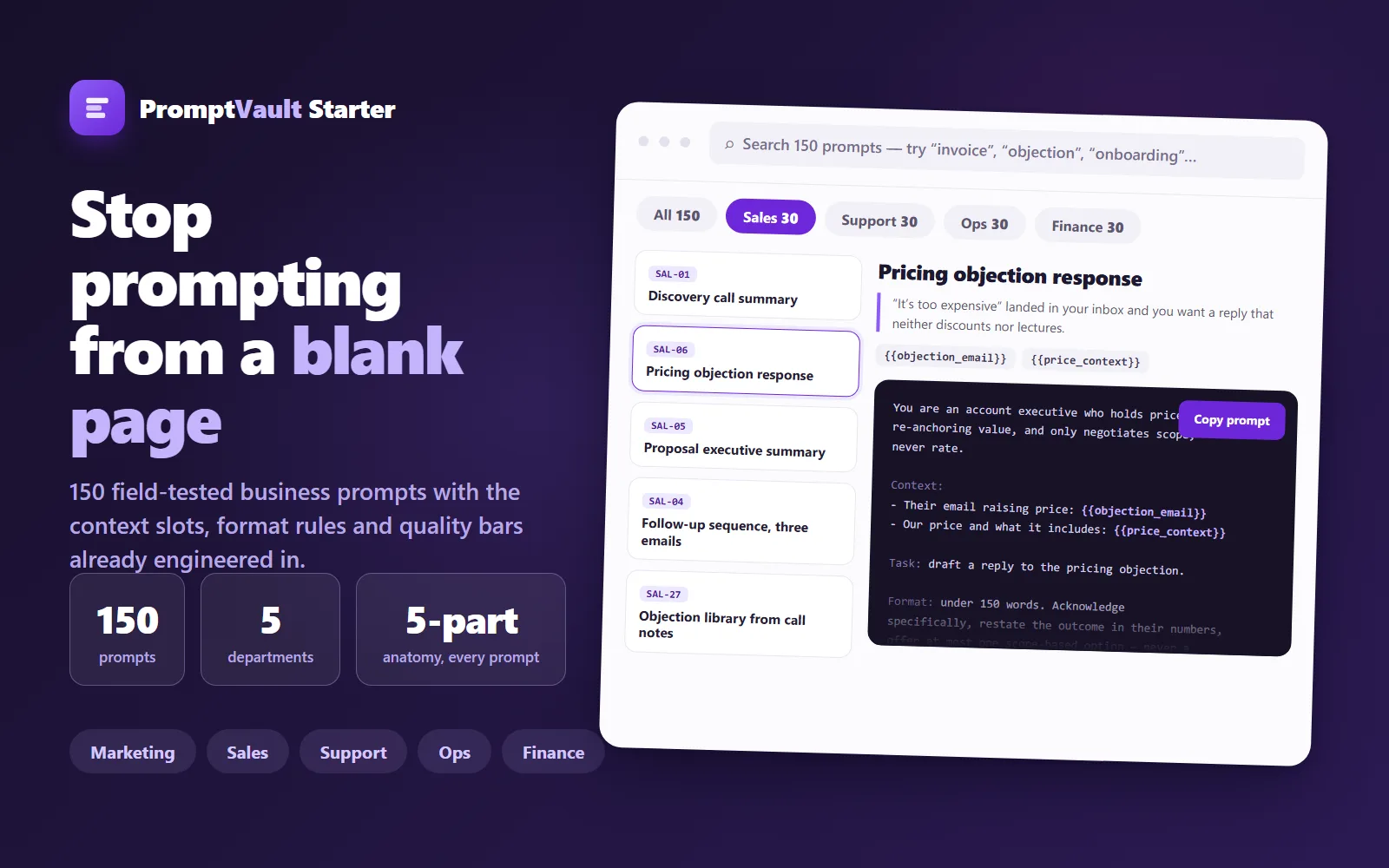
PromptVault Starter — 150 Business Prompts
A free, curated vault of 150 field-tested prompts for marketing, sales, support, ops and finance — each engineered with context slots, format rules and a quality bar.
Live demoThorne LabsFree
 Test-run
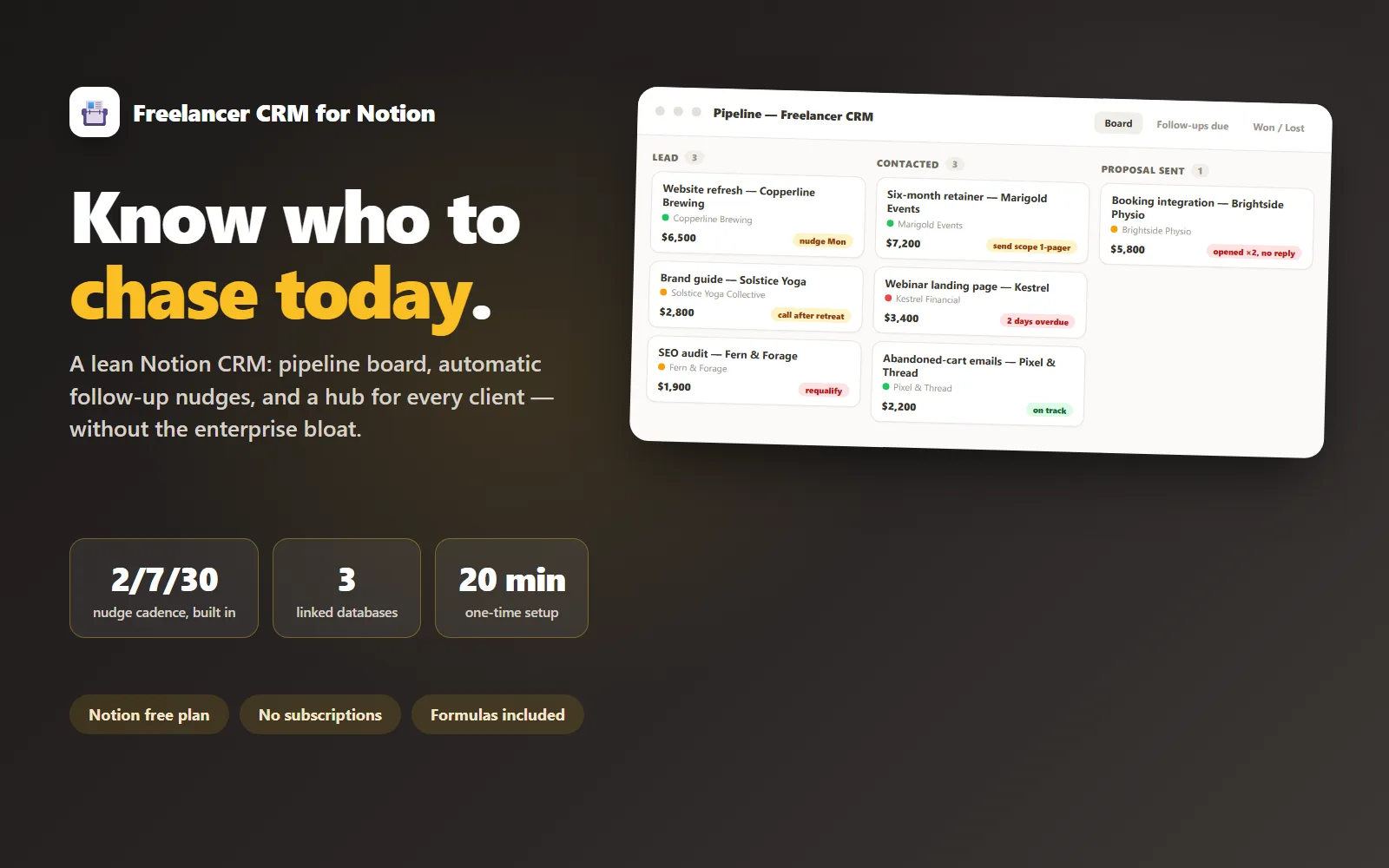
Freelancer CRM for Notion
A lean Notion CRM for freelancers: pipeline, follow-up nudges and a client hub, without the enterprise bloat.
Live demoLedger & Line$69
 Test-run
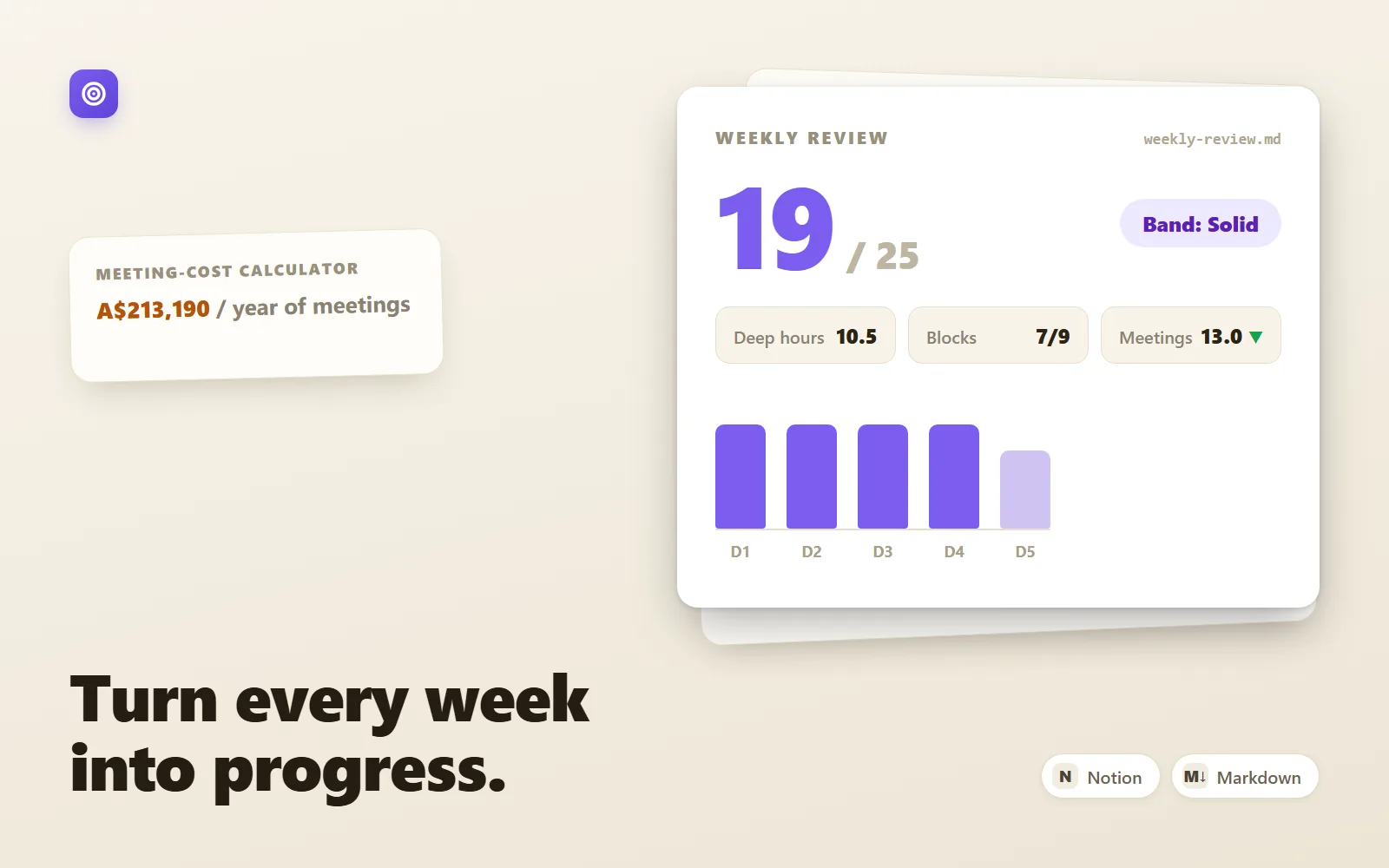
DeepWork OS — Weekly Operating System
A markdown weekly operating system for founders: plan, deep-work log, scored review, goals tree and meeting-cost calculator.
Sample previewThorne Labs$29