Preparing for launch…
Freelancer CRM for Notion
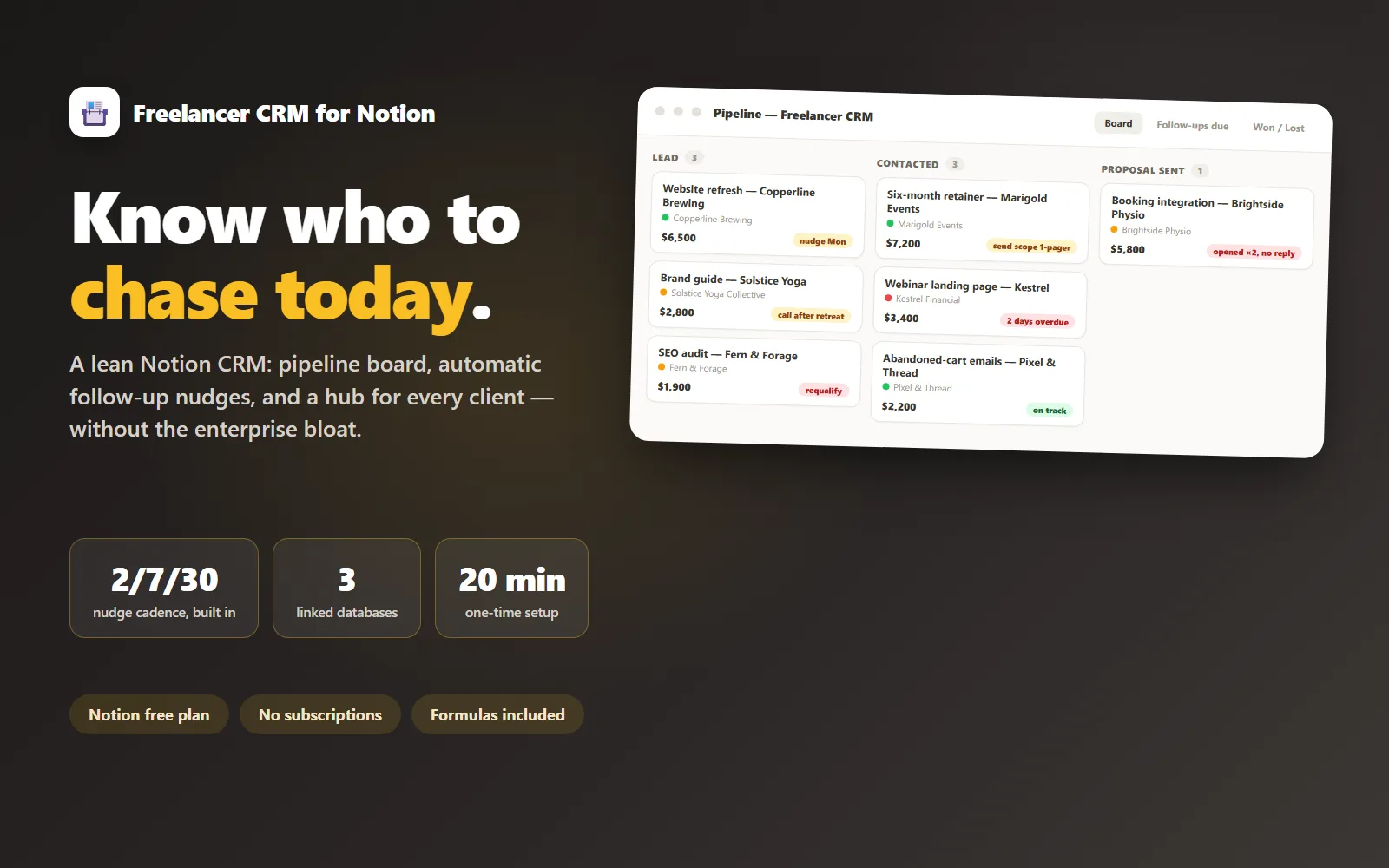
A lean Notion CRM for freelancers: pipeline, follow-up nudges and a client hub, without the enterprise bloat.
What it does & who it's for
Freelancers do not need a CRM with lead scoring and territory management; they need to know who to follow up with today and what was agreed last call. This Notion system is exactly that: a pipeline board, automatic follow-up nudge dates, and a client hub page per client with every note, file and invoice link in one place. It is built with plain Notion databases — no paid add-ons, no automation subscriptions, no API keys. If you can use Notion, you can run this. You build it in your own workspace from three CSV databases and a click-by-click import walkthrough: every property type, both linked relations (deals→client, projects→client), every formula as a copy-paste string (days since contact, the next-nudge date, the nudge-overdue flag, and a client health rollup that turns "when did I last touch this relationship?" into a green/yellow/red dot), plus the three views that make it a CRM — the pipeline board, a "Follow-ups due" dashboard, and a won/lost retro. One-time setup is about 20 minutes with every click written out and sanity checkpoints along the way; after that the system costs about ten seconds per contact logged. The template encodes an opinionated follow-up cadence (2 days after a proposal, weekly while warm, monthly for the long game) that you can change in one place — the three numbers live in a single formula, and the cadence guide explains when to change them, what to actually send (three short message templates), and the three-strikes rule for deals that go quiet. There is also a simple won/lost retro view that most freelancers have never kept and always thank us for, with a 15-minute weekly review ritual that turns it into a habit. The 15 sample deals, 10 clients and 8 projects are a working freelance practice, not lorem ipsum — trace one deal from proposal to overdue nudge to client hub before you archive the samples and add your own. The live demo is a faithful read-only mock of the board and follow-up view built from that exact sample data, so you can judge the system before you buy.
What's included
- pipeline.csv — Pipeline database: 15 sample deals across all six stages with status, value, last-contacted, next-action and close-reason columns - clients.csv — Clients database: 10 sample clients with contacts, sources and working notes - projects.csv — Projects database: 8 sample projects with budgets, billing type and invoice status - notion-import-walkthrough.md — click-by-click build: CSV import, property types, both linked relations, copy-paste formula strings (Days Since Contact, Next Nudge, Nudge Overdue, Health rollups), the board / follow-up / won-lost retro views, home-page assembly, sanity checkpoints and troubleshooting - follow-up-cadence-guide.md — the 2/7/30 cadence in plain English, how to change it in one place, three message templates and the three-strikes rule - weekly-pipeline-review.md — the 15-minute Friday ritual with won/lost retro prompts, importable as a Notion page - client-hub-template.md — per-client hub page (agreements log, call notes, files and invoice links) installed as a Notion database template - README-setup.md — the map: what each file is and the order to do things in
What's not included
- Notion subscription (the free plan is plenty) - Email integration or automations — nudges are dates and views inside Notion; nothing sends itself - Invoicing (the client hub links out to your invoicing tool) - A pre-built duplicate link — you assemble the system in your own workspace from the CSVs, following the walkthrough (that is what makes it yours to modify)
Requirements
- A free Notion account - A desktop browser or the Notion desktop app for the one-time setup (the mobile app hides menus the walkthrough uses) - About 20 minutes to build the system following the walkthrough
Setup instructions
1. Read README-setup.md — it is the map and the order to do things in. 2. Open notion-import-walkthrough.md next to Notion and work through Parts 0–8: import the three CSVs, set the property types, wire the two relations, paste the formula strings, build the board / follow-ups / retro views, assemble the home page and install the client hub template (~20 minutes, sanity checkpoints included). 3. Walk the sample data (Part 9): trace one deal from proposal to overdue nudge to client hub so the loop sticks. 4. Archive the sample rows — structure, formulas, relations and views all stay. 5. Read follow-up-cadence-guide.md and adjust the three cadence numbers (2/7/30) in the Next Nudge formula if your market runs faster or slower. 6. Add your current leads — start with the three you are avoiding — and book a recurring 15-minute Friday slot for weekly-pipeline-review.md.
Version history
- v1.0Latest7 Aug 2026
Licence & terms
Licence terms
Single-practitioner commercial licence. You may use, modify and extend this template to run your own freelance practice, including paid client work managed through it, across your own Notion workspaces. You may not resell, redistribute, sublicense or repackage the template files, the sample databases or derivatives of them as a template, product or course material, whether paid or free. Each practitioner needs their own licence — buying once for a whole agency team is not covered.
Refund policy
14-day refund if the product is materially not as described in this listing or its demo. Try the demo before you buy — that is what it is there for. Refunds are not offered for a change of mind or for platform subscriptions you purchase from third parties. Open a refund request from your Launchstock library and we will respond within 2 business days. An approved refund ends your licence to the product — you must delete all copies of the files and stop using them.
Support terms
Email support (hello@ledgerandline.com) for 3 months from purchase, replies within one business day. Covers the import walkthrough, relation and rollup setup, and formula fixes on an unmodified template. If you have restructured the system we will still take a look, but fixes are best-effort.
These terms are snapshotted at purchase — what you see here is what applies to your order.
Reviews
No reviews yet
Reviews come from verified purchasers only, so you can trust what you read here.
More in Productivity
Other listings buyers compared with this one.
 Test-run
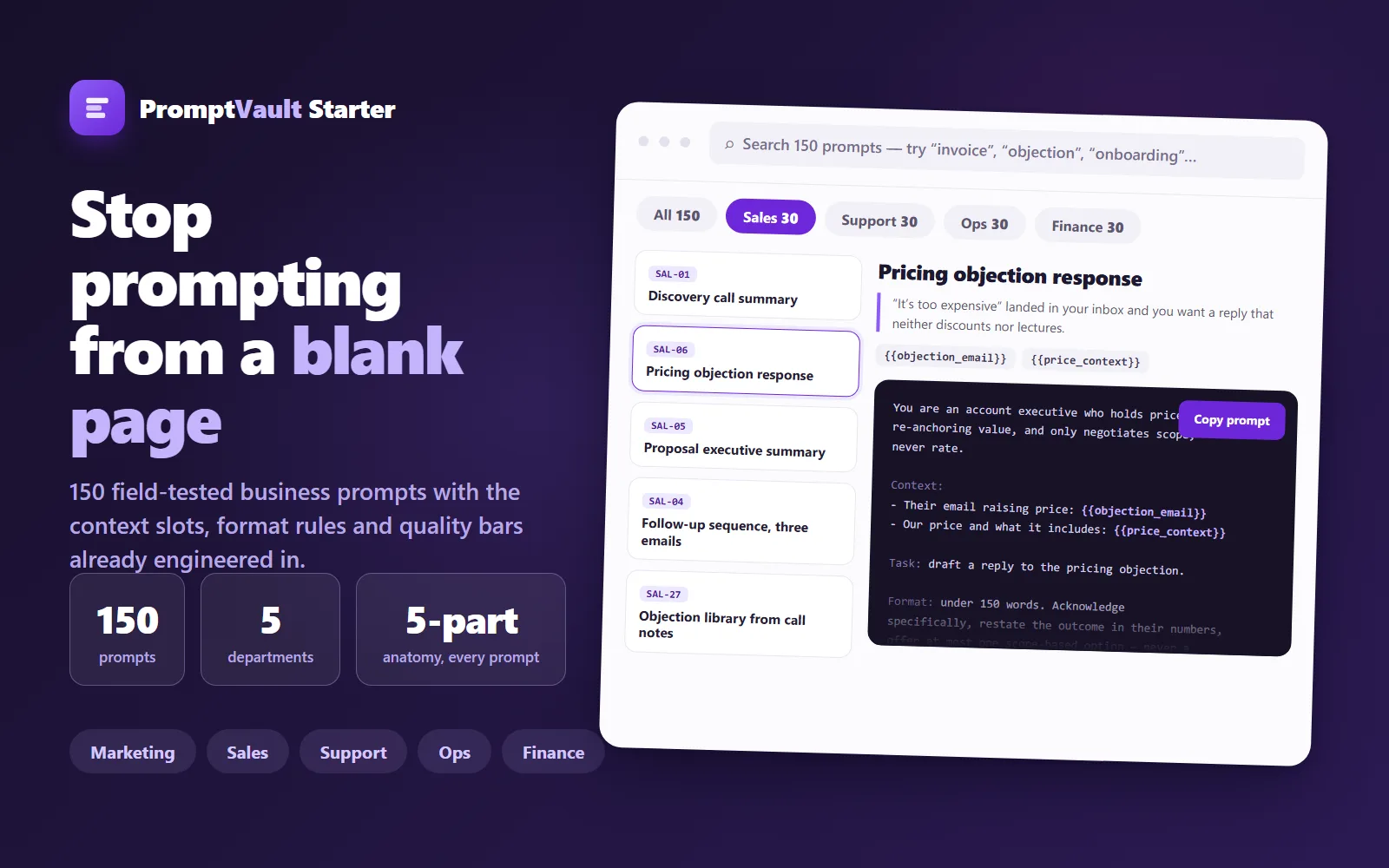
PromptVault Starter — 150 Business Prompts
A free, curated vault of 150 field-tested prompts for marketing, sales, support, ops and finance — each engineered with context slots, format rules and a quality bar.
Live demoThorne LabsFree
 Test-run
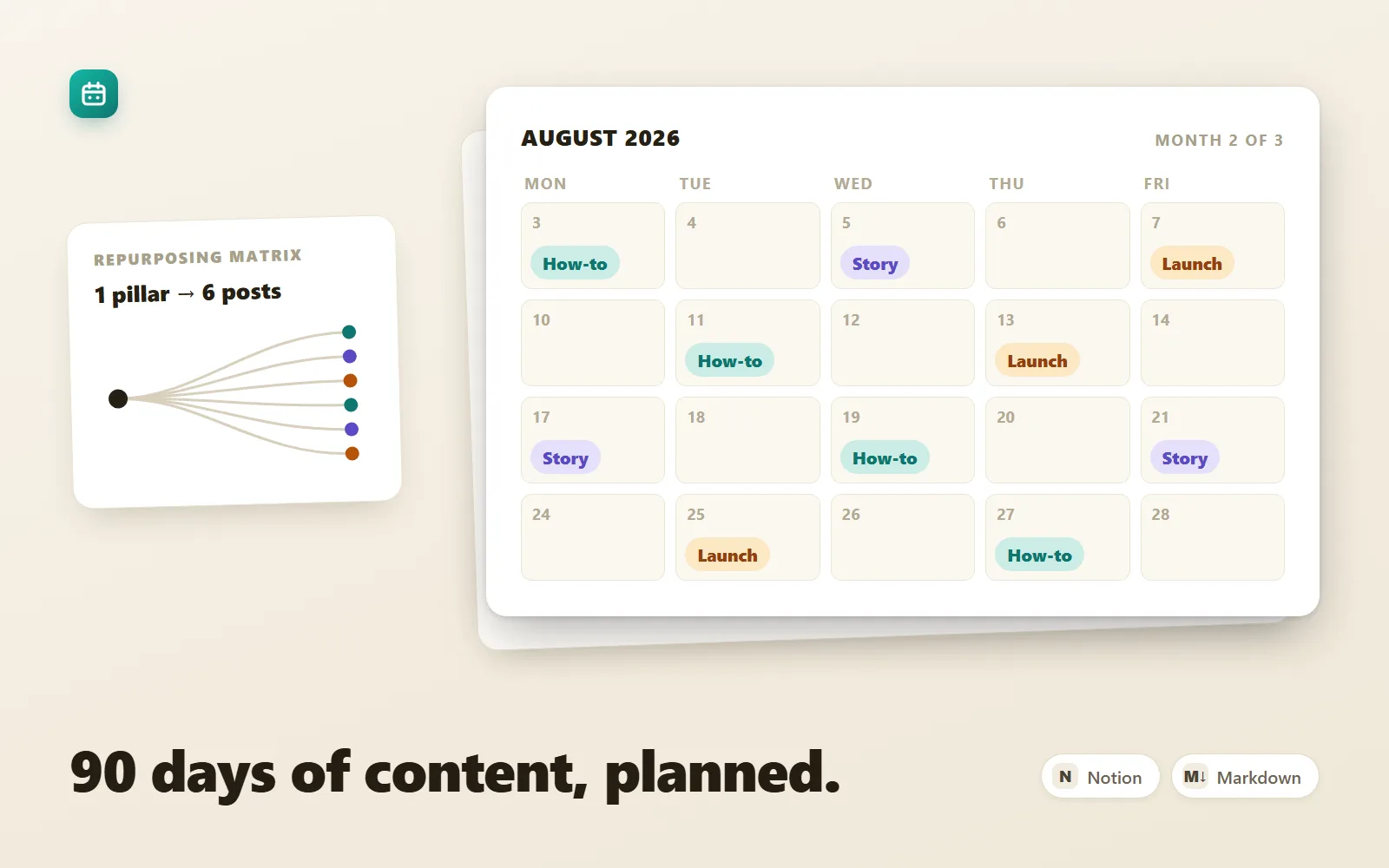
Content Calendar OS — 90-Day Content System
A 90-day content operating system for founders on 1–3 channels: strategy, calendar, batching ritual, scored backlog, repurposing matrix.
Sample previewThorne Labs$25
 Test-run
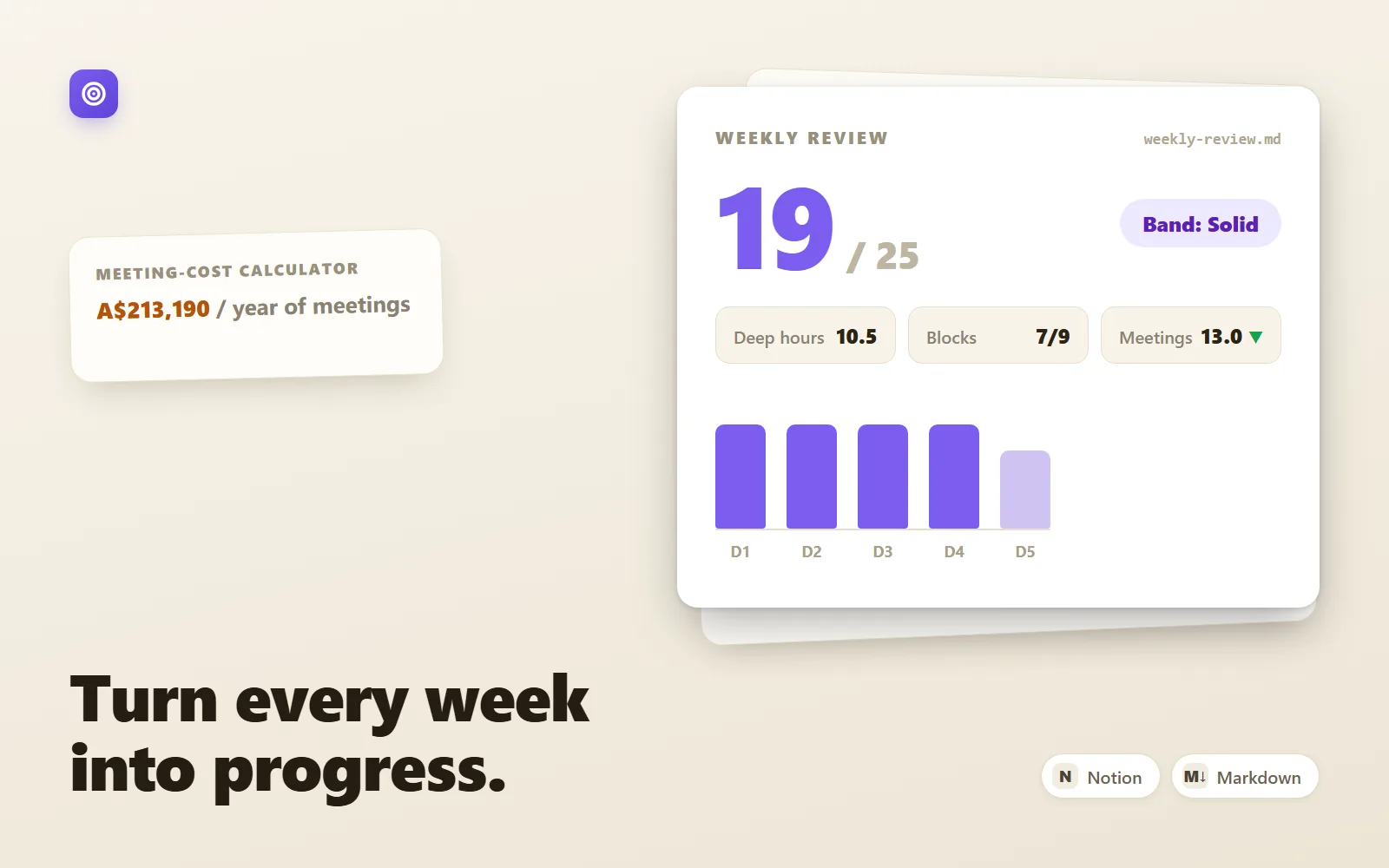
DeepWork OS — Weekly Operating System
A markdown weekly operating system for founders: plan, deep-work log, scored review, goals tree and meeting-cost calculator.
Sample previewThorne Labs$29