Preparing for launch…
Sole Trader Finance Pack (AU)
AU sole-trader money toolkit: live-edit GST invoice template, BAS checklist, expense tracker, 12-week cashflow forecast, payment emails.
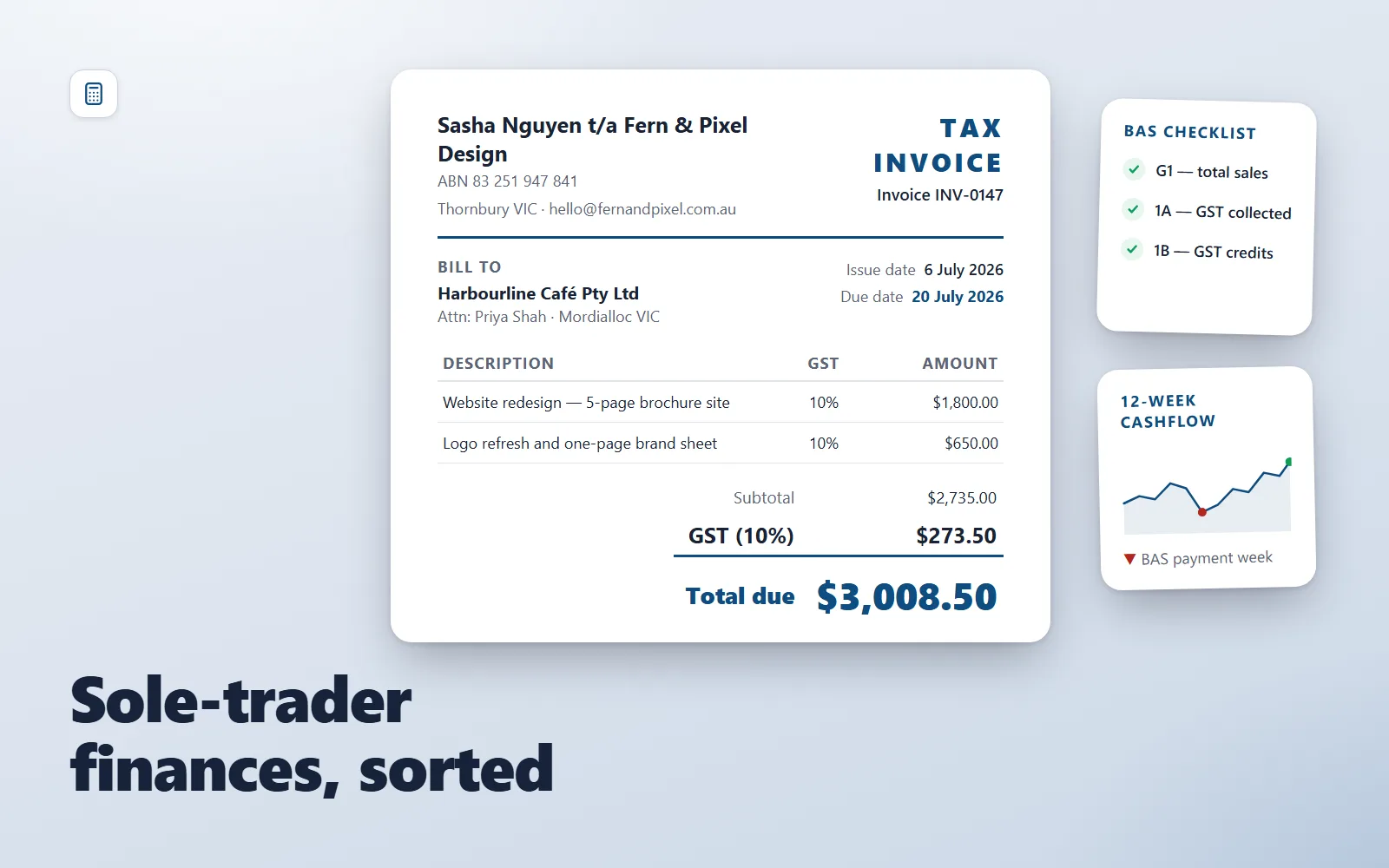
What it does & who it's for
The Sole Trader Finance Pack covers the whole money side of running an Australian sole-trader business: getting paid, tracking what you spend, surviving BAS time, and seeing a cash crunch coming before it arrives. It is built for freelancers, tradies, consultants and side-hustlers who do their own admin and want it done properly without buying accounting software on day one. The centrepiece is a print-ready A4 invoice template that runs entirely in your browser. A small editor panel on the left fills the invoice live as you type — business details, ABN, client, line items, bank details — and handles GST correctly: tick "Registered for GST" and it becomes a Tax Invoice with a per-item GST column and a 10% GST total line; untick it and it becomes a plain Invoice with an explanatory note. Per-item GST checkboxes let you mix taxable and GST-free lines. Print or save to PDF and only the clean invoice prints; your entries save automatically in your browser and nothing is uploaded anywhere. Around the invoice sit the working documents: a quarterly BAS-prep checklist with the due dates, the G1/1A/1B labels in plain English and the classic no-GST traps (bank fees, rego, stamp duty, overseas subscriptions); an expense-tracker CSV with ATO-aligned categories and 20 worked example rows showing GST credits and business-use apportionment done right; a 12-week cashflow forecast CSV pre-filled with a realistic example — including the week a $1,650 BAS payment lands — plus a five-minute formulas guide that makes it self-calculating; and eight payment-cycle email templates that take a client from terms-agreed to paid, including the escalation timeline and a payment-plan offer. You could assemble all of this yourself from ATO pages, forum threads and a blank spreadsheet — most sole traders do, badly, in their first June panic. This pack is the assembled, coherent version: the documents cross-reference each other, the example numbers are consistent from invoice to forecast, and every file states plainly that it is general information, not tax advice, with a nudge to confirm specifics with your accountant or the ATO. Try the live demo — it is the actual invoice template, pre-filled with the worked example.
What's included
- invoice-template.html — print-ready A4 invoice/tax-invoice with a live editor panel, automatic GST handling and localStorage persistence - bas-prep-checklist.md — quarterly BAS preparation checklist: due dates, GST labels G1/1A/1B, common traps, lodge-and-pay steps - expense-tracker.csv — expense log with ATO-aligned categories and 20 worked example rows (GST credits and business-use % shown) - cashflow-forecast.csv — 12-week rolling cashflow forecast pre-filled with a realistic example including a BAS payment week - cashflow-formulas.md — five-minute guide to the spreadsheet formulas that make the forecast self-calculating (CSV cannot carry formulas, so they are documented honestly) - payment-emails.md — 8 payment-cycle email templates: terms up front, invoice, three reminders, final notice, payment plan, thank-you, plus an escalation timeline - README-setup.md — setup guide with a suggested first hour and the not-tax-advice disclaimer
What's not included
- No accounting or invoicing software — the invoice template is a self-contained HTML file, not a SaaS app - No xlsx files — the trackers are CSV plus a formulas guide, so they open cleanly in Excel, Google Sheets, LibreOffice or Numbers - No tax, legal or financial advice — everything is general information for Australian sole traders; your BAS figures, deductions and payment terms need your accountant, a lawyer where relevant, or the ATO - No automatic invoice numbering, client database or emailing — you update the invoice fields per client and send PDFs yourself - No payroll, company/trust or employee content — this pack is scoped to sole traders
Requirements
- A modern web browser (Chrome, Edge, Firefox or Safari) for the invoice template and demo - Any spreadsheet app for the CSVs: Excel, Google Sheets, LibreOffice Calc or Apple Numbers - Any text editor or Markdown viewer for the checklists and guides - An Australian sole-trader context (ABN; GST registration optional — the invoice handles both)
Setup instructions
1. Unzip your download and keep the seven files together in one folder. 2. Read README-setup.md first — it walks the whole pack in a suggested first hour. 3. Double-click invoice-template.html to open it in your browser. Fill in the editor panel with your business details, ABN and bank details; tick or untick "Registered for GST" to match your registration. Click "Print / save PDF" to produce your first invoice. 4. Open expense-tracker.csv in your spreadsheet app, read the 20 example rows, then delete them (keep the header) and start logging your own expenses. Save as .xlsx or import to Google Sheets to keep formatting. 5. Open cashflow-forecast.csv, then follow cashflow-formulas.md (about five minutes) to add the formulas. Replace the example numbers with your real opening balance, invoices and outgoings, and save as a native spreadsheet. 6. Open bas-prep-checklist.md, diarise your next BAS due date, and schedule a checklist session two weeks before it. 7. Copy template 1 from payment-emails.md into your standard quote or booking email so your payment terms are agreed before work starts.
Version history
- v1.0Latest5 Aug 2026
Licence & terms
Licence terms
Single-project commercial licence. You may use the Sole Trader Finance Pack for one business you own or operate, including editing the files, sending unlimited invoices generated from the template to your clients, and keeping internal copies and backups. You may not resell, redistribute, sublicense, share or repackage the files themselves (edited or unedited), offer them as a download, or use them as the basis of a competing template product. Documents you produce for your own business using the pack (your invoices, your forecasts, your emails) are yours without restriction.
Refund policy
14-day refund policy: if the pack is materially not as described on this page, contact us within 14 days of purchase for a full refund. Because these are digital files delivered instantly, refunds are not offered for change of mind — please try the live demo first: it is the actual invoice template with a worked example, so you can see exactly how the centrepiece of the pack works before you buy. An approved refund ends your licence to the product — you must delete all copies of the files and stop using them.
Support terms
Email support covers using the files: opening the invoice template, the GST toggle, the spreadsheet formulas in the guide, customising the accent colour, and importing the CSVs into your spreadsheet app. It does not cover advice about your tax position, BAS figures or debt recovery — those questions belong with your registered tax/BAS agent, a legal professional, or the ATO.
These terms are snapshotted at purchase — what you see here is what applies to your order.
Reviews
No reviews yet
Reviews come from verified purchasers only, so you can trust what you read here.
More in Finance & Admin
Other listings buyers compared with this one.
 Test-run
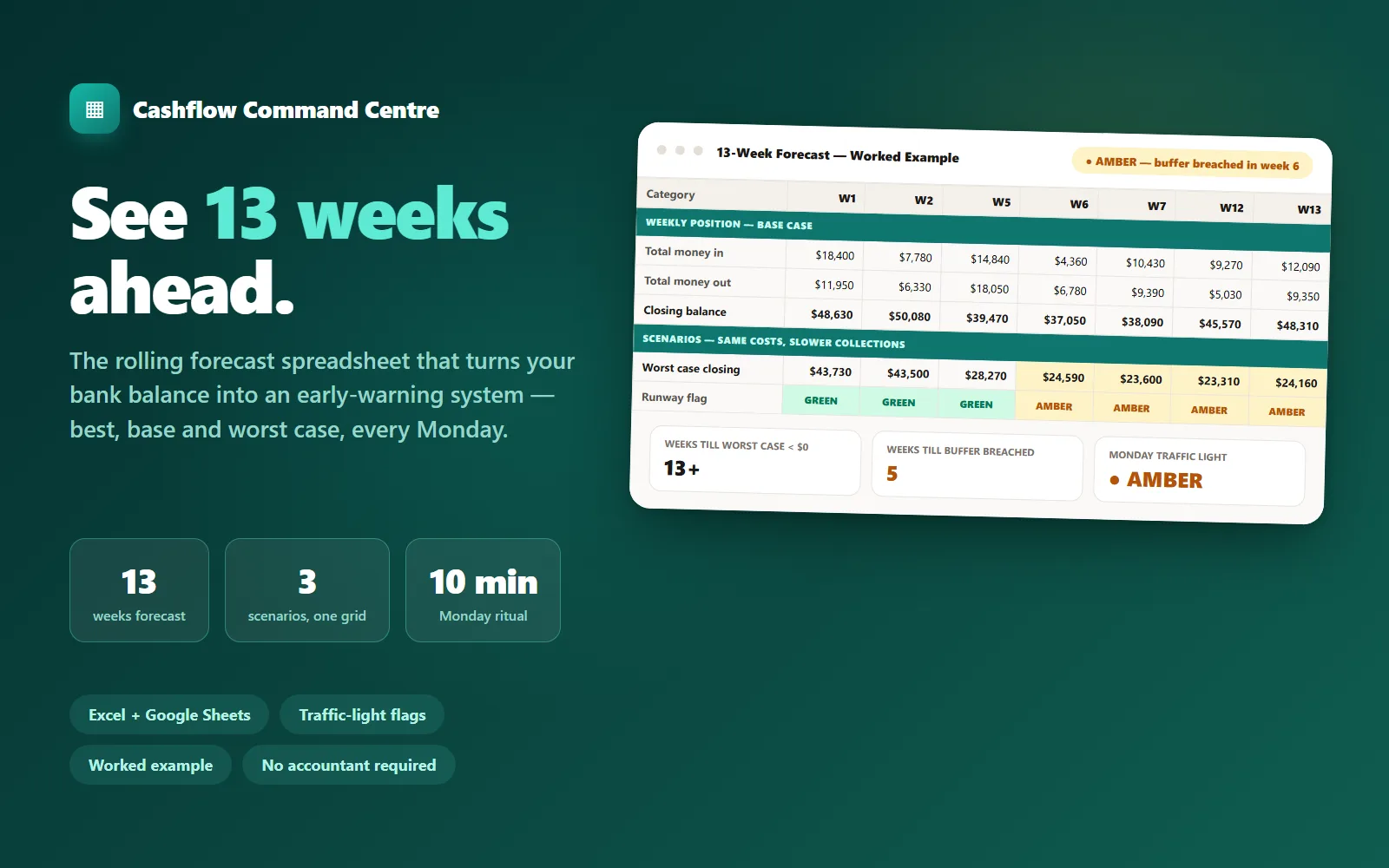
Cashflow Command Centre
A 13-week rolling cashflow spreadsheet that shows best, base and worst case every Monday — with traffic-light warnings weeks before trouble arrives.
Live demoLedger & Line$89
 Test-run
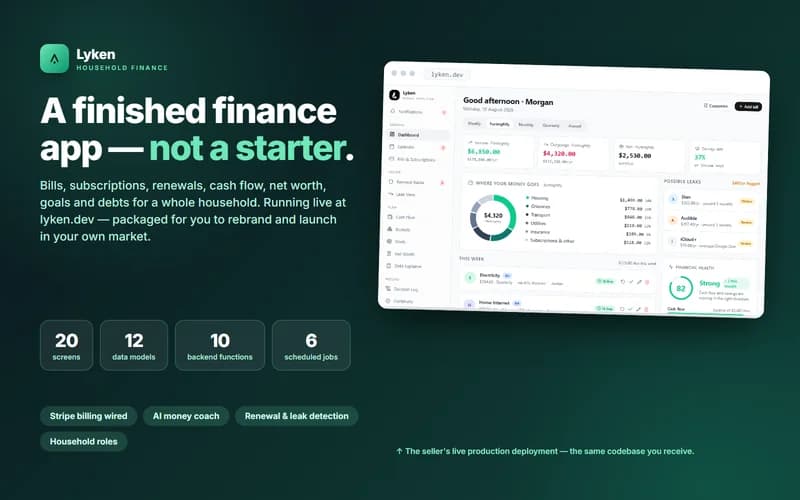
Lyken — Household Finance App
A finished household finance app — bills, subscriptions, renewals, cash flow, net worth, goals and debts — running live at lyken.dev and packaged for you to rebrand and launch in your own market.
Live demoLyken$549
 Test-run
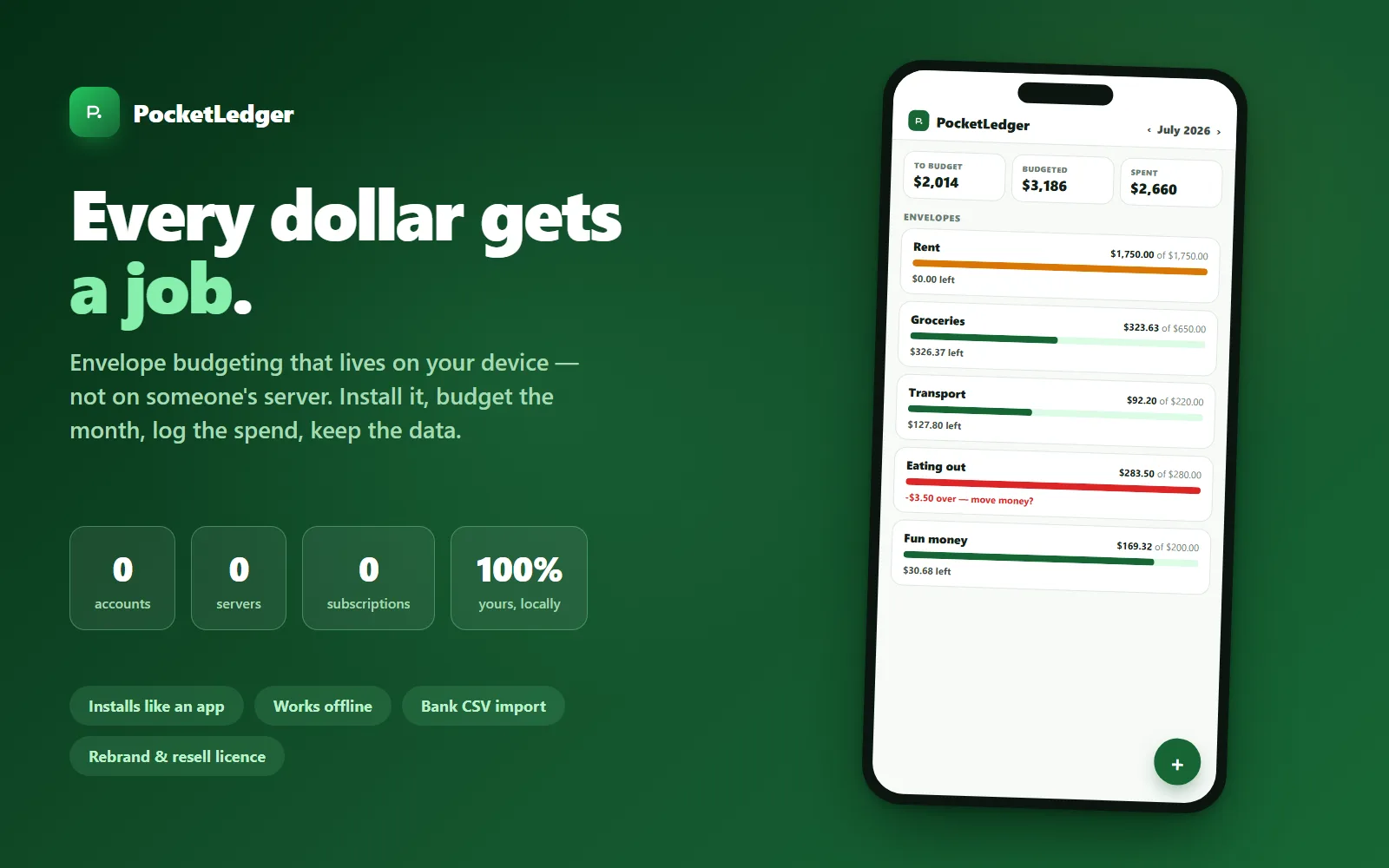
PocketLedger — Local-First Budgeting App
An installable envelope-budgeting app where your money data never leaves your device — no accounts, no server, no subscription. Rebrand-and-resell licence included.
Live demoLedger & Line$59